
If you wish to override your global system settings for business hours and holidays to accommodate variations in customer agreements, the settings to adjust those can be found by going to People > Groups, and selecting “Business Hours” or “Holidays” tab:
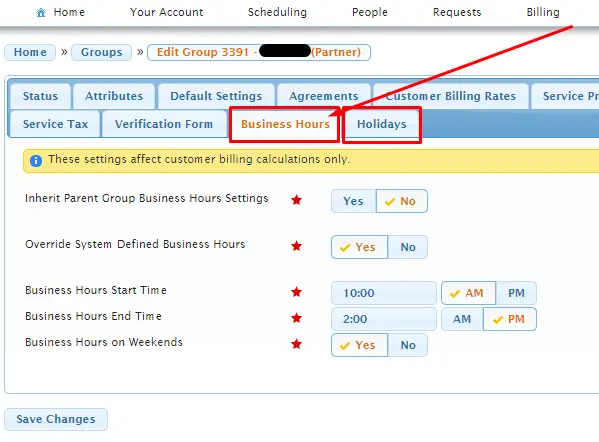
Here you have the option to override the global business hour setting for the customer billing (AR) to allow customer business hours and holidays to vary group by group.
“Inherit Parent Group Business Hour Settings” should be set to “No” if you want to use the options on the page.
“Override System Defined Business Hours” should be set to “Yes” for the next (3) options (start time, end time, weekends) to take effect.
These settings affect customer billing calculations only.