Table of contents
- Need to change a customer billing rate for a group, but not sure how to without it affecting any previous billing?
Need to change a customer billing rate for a group, but not sure how to without it affecting any previous billing? #
Customer billing rates can change for many reasons, including contract renewal, term changes, etc. Learn how to add new rates without affecting the customer’s existing rates. For this example, the contract with our customer, Umbrella Corporation, has been renewed. The contract includes a hourly rate increase for Sign Language Interpreting services from $80 to $85 during business hours and from $90 to $95 for non business hours.
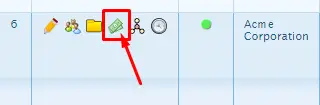
Go to People > Groups and click on the “money” icon next to the group that needs a rate change.


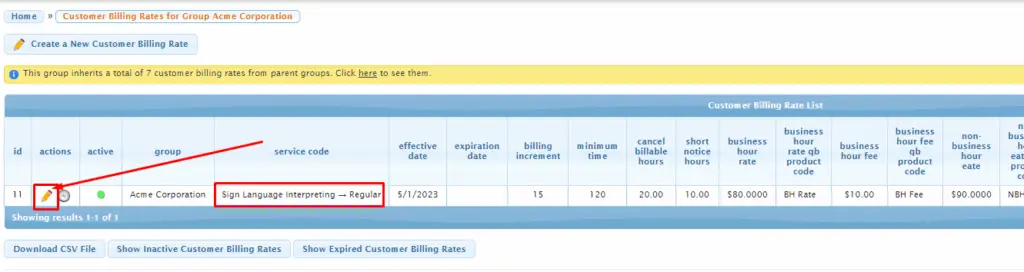
On the next screen, you will see a list of customer billing rates. Click on the pencil icon for the service code rate you wish to expire:
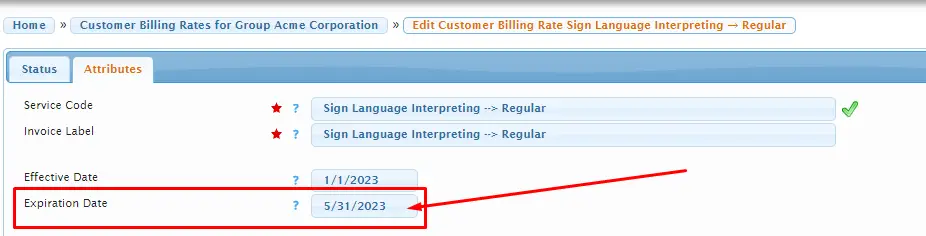
On the next screen, add an expiration date and “Save Changes”:
Return to the previous screen, and click on “Create a New Customer Billing Rate”. Select the appropriate service code the new rate will apply to. Then fill out any necessary fields (invoice label, cancel billable hours, short notice hours, new effective date, BH rate, Non-BH Rate, and subsequent rate information for the new pay rate) and then “Save Changes”.
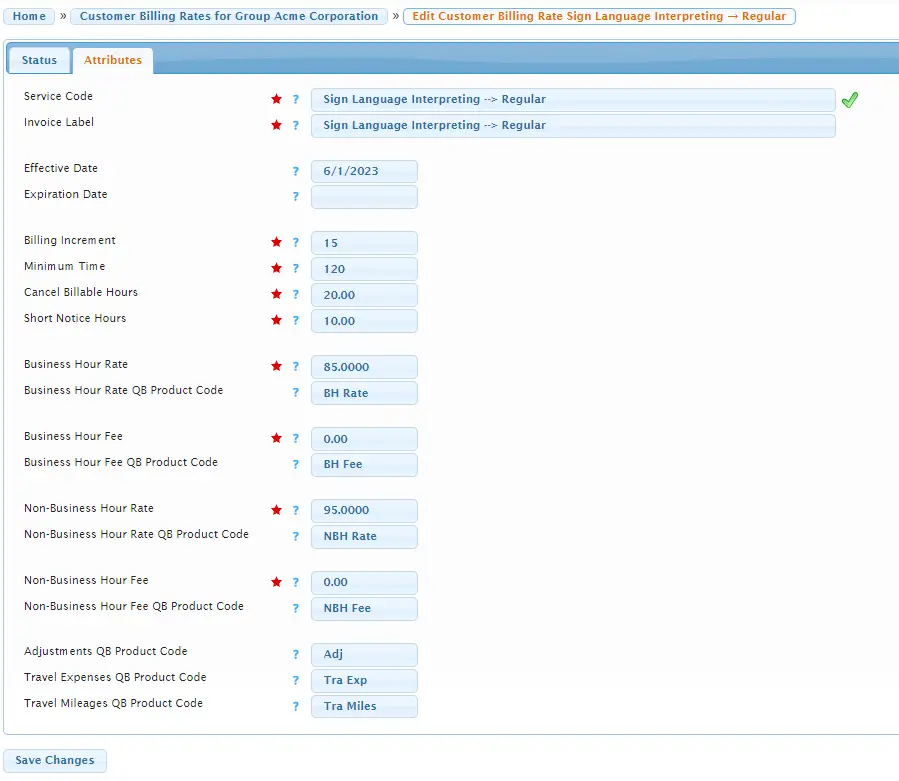
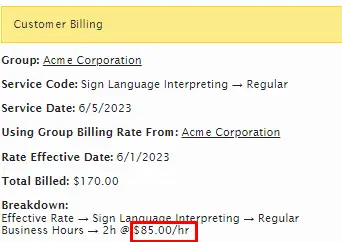
Now, for any requests for the Acme Corporation group for this service code between the start of the old customer billing rate through 5/31/23, the old customer billing rate will apply:
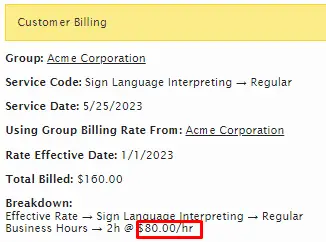
and for requests from 6/1/23 onward, the new customer billing rate will apply: