
You may find yourself at times needing to complete some updates or changes simultaneously on multiple assignments. The bulk actions tool is available at Requests > Assignments.
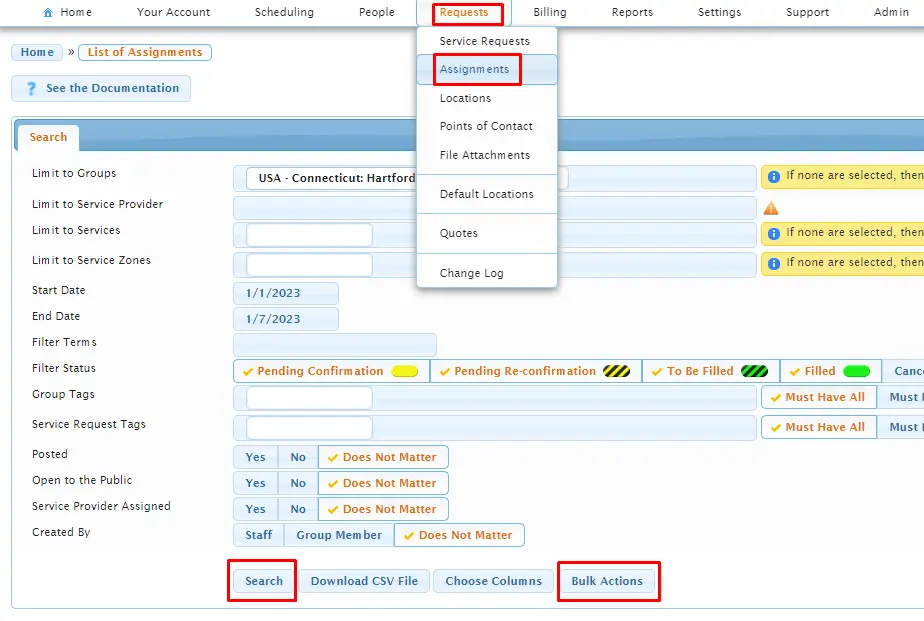
On the Assignments screen, first establish all the parameters of your search (i.e., groups, specific service provider, specific service zone, and date range) and click on “Search”. Once you have data results, you can then click on the “Bulk Actions” to perform one of the following tasks:
- Update assigned service provider – and select which service provider
- Add, remove or replace service request tags – and select which tag(s)
- Leave alone, post or unpost requests
- Assign any confirmation email templates to be sent (to service provider, to clients, and/or to requester) upon completion of the bulk action
The below screenshot is an example of adding a tag named “VIRTUAL”:
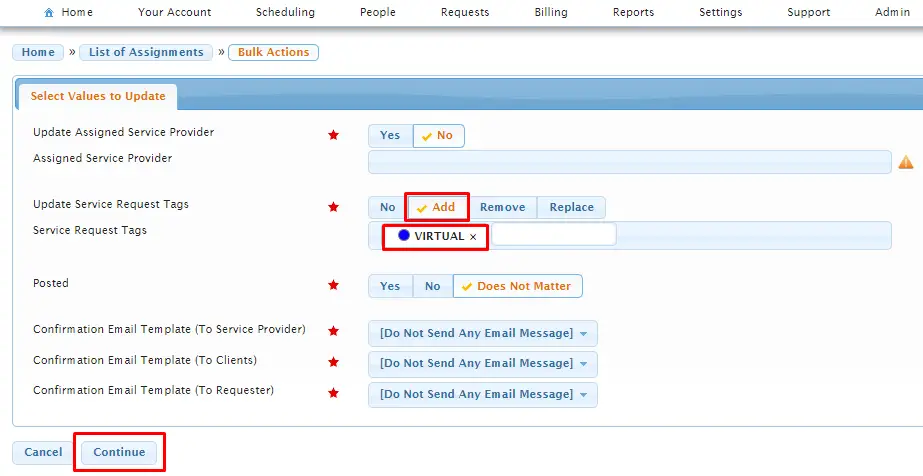
Once these selections of “values to update” are made, and the “Continue” button is clicked, Usked will produce a list of specific assignments (and corresponding dates) from your initial search, on which you can then select (by toggle) the specific assignments that you want included or excluded in the bulk action.
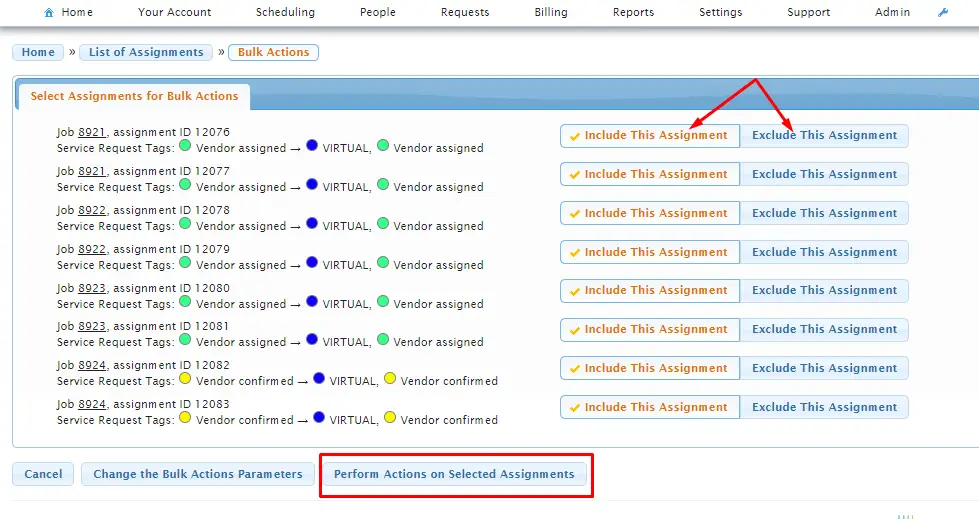
Once you have selected all affected assignments, click on “Perform Actions on Selected Assignments” and Usked will perform these updates, as well as send out confirmation emails (if assigned a template).