Get your tool belt ready because today is a Contract Day! Let’s go build a house or set up billable objects to pay service providers. #

What exactly is a Contract Day in Usked? #
A contract is a billable object that you can use to pay service providers with, complete with a number of guaranteed hours.
Instead of using the individual jobs to pay, the entire contract day is used to pay the Service Provider. They are paid at least the guaranteed hours (which will default to the guaranteed hours set in system settings), regardless of how many jobs fall during the contract day. We will go over guaranteed hours further down this article.
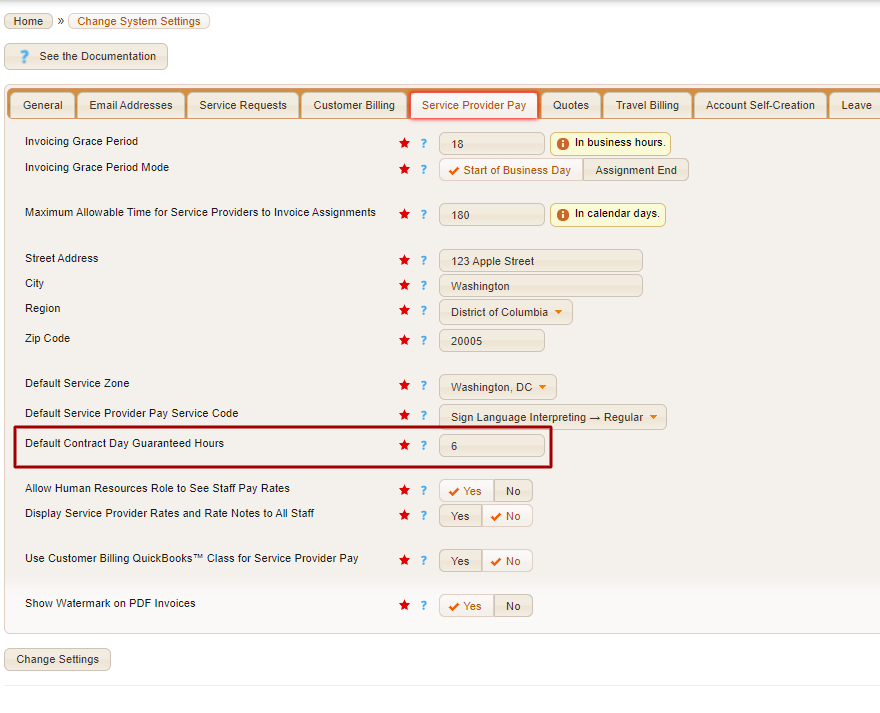
To adjust your default guaranteed hours for contract days, navigate to ADMIN > CHANGE SYSTEM SETTINGS > SERVICE PROVIDER PAY TAB and look for the “default contract day guaranteed hours” field.
Cool, so where can I set up a contract day? #
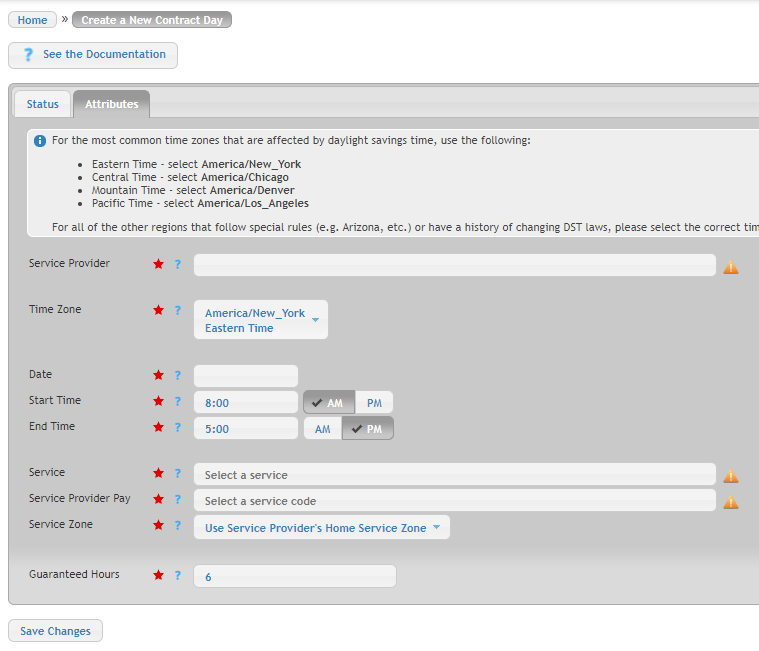
To create a new Contract Day go to “SCHEDULING> CREATE A NEW> CONTRACT DAY”, and you will end up on this screen.
Let’s go over each field! #
Service Provider – The name of the service provider that is assigned to this contract day.
Time Zone – The time zone to apply to the start time and end time.
Date -The date of the contract day.
Start Time – At what time the contract day starts.
End Time – At what time the contract day ends.
Service – The service the assigned service provider should perform. This overrides the service set on the individual service provider slots that overlap this contract day.
Service Provider Pay – Select the service code you want to use to pay the service provider for this contract day.
Service Zone – This is the service zone to use to determine the rate to pay this service provider. If use service provider’s home service zone is selected, then this service provider’s home service zone is used to determine the rate to pay this service provider.
Guaranteed Hours – The minimum number of hours the service provider will be paid. The service provider will be paid at least this number of hours, regardless of whether or not the service provider has actually performed this number of service hours during the contract day. The maximum number of hours the service provider will be paid for this contract day is implicitly determined by the start time and end time.
Rules for Contract Days #
- Services performed during contract days are always considered business hours and will be paid using business hours pay indexes.
- The downtime in between overlapping service provider slots or blocks during a contract day will be paid.
- The additional minutes of service provider slots have no effect on assignments that overlap a contract day.
- The minimum time of accounts payable paperwork is not applied to assignments that overlap a contract day.
How do I make a Contract Day recurring? #
- Go to Billing > Settings > Contract Days.
- Set the date range to find the Contract Day you want to make recurring. Click Search.
- Click the
icon next to the desired contract day.
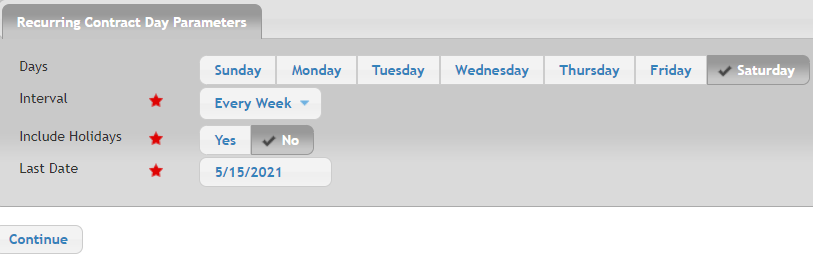
- Adjust these options to match the needs of your recurring contract day and then click Continue.
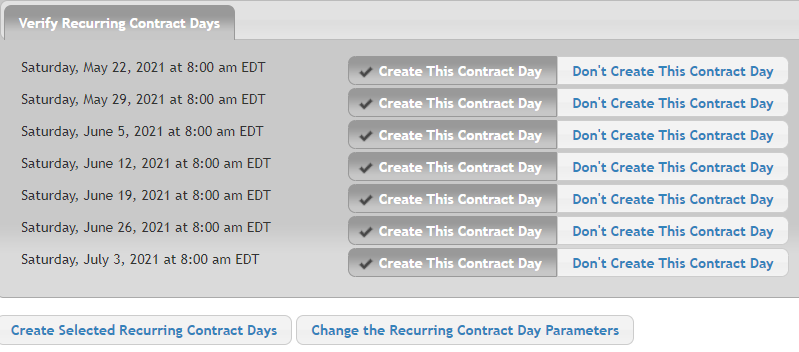
- You’ll then see a list of all of the occurrences based on those criteria. If these look good, click Create Selected Recurring Contract Days to finalize.