
Enabling this feature allows the ability to assign the same service provider more than once to a single request, the ability to split shifts, and the ability to have separate slots for travel CLINs. #

This feature must be activated by Usked for any licensee who wishes to utilize it.
This capability mainly allows licensees who may need a solution for travel time to be defined clearly on invoices, and for travel time to get its own product code in Quickbooks.
When this feature is enabled, Usked will no longer prevent you from assigning the same service provider more than once on a request; a request can move forward with multiple slots assigned the same Service Provider. Each slot may also then be designated with a specific service/service code – i.e., the first slot for the service provider’s “travel to assignment”, the second slot for the service provider’s “return travel from assignment”, and the third/last slot for the service provider’s service provision.
With this feature activated, your processes will remain generally the same with the following considerations of how the Usked app (from the service provider’s view) is affected:
1. Only the last slot in the sequence on the request/assignment is what will appear on the calendar portion of the mobile app:
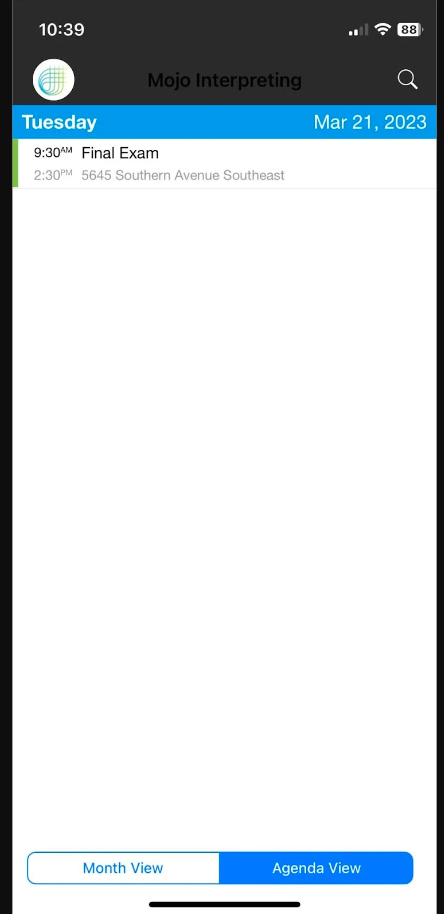
Therefore, the last slot on a request should always contain the service provision/assignment information – while the first and second slots should be travel to and from. Below is a screenshot of the ideal “sequencing” of slots on a request (this is the subsequent screen that appears after clicking on the above calendar item).
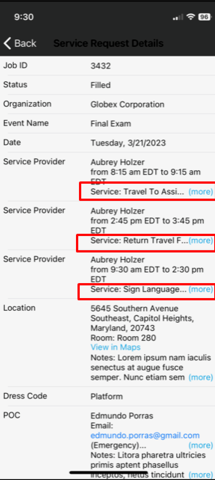
Note, the request number will be the same on all slots regardless of order. All three slots will then be entered separately on a service provider’s invoice.
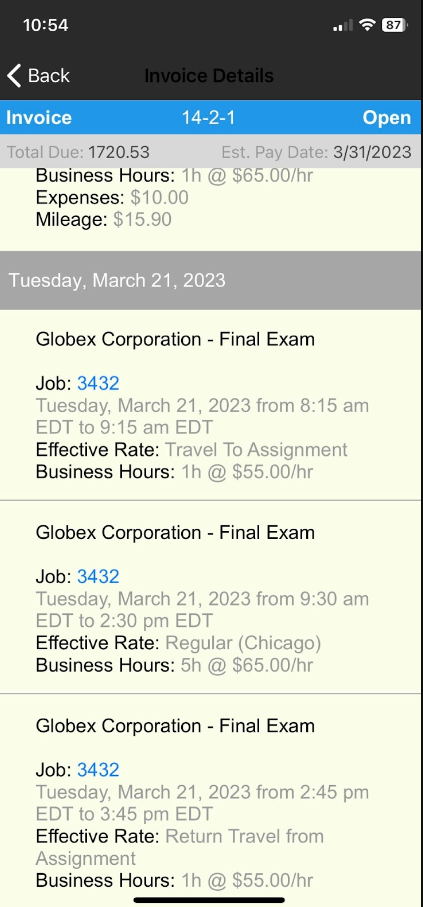
2. All slots allow for a Service Provider to add expenses and mileage when invoicing. If you do not want a Service Provider to add any expenses/mileage to the job/last slot then your schedulers will need to ‘lock’ travel on that particular slot in the Service Provider pay rollout.
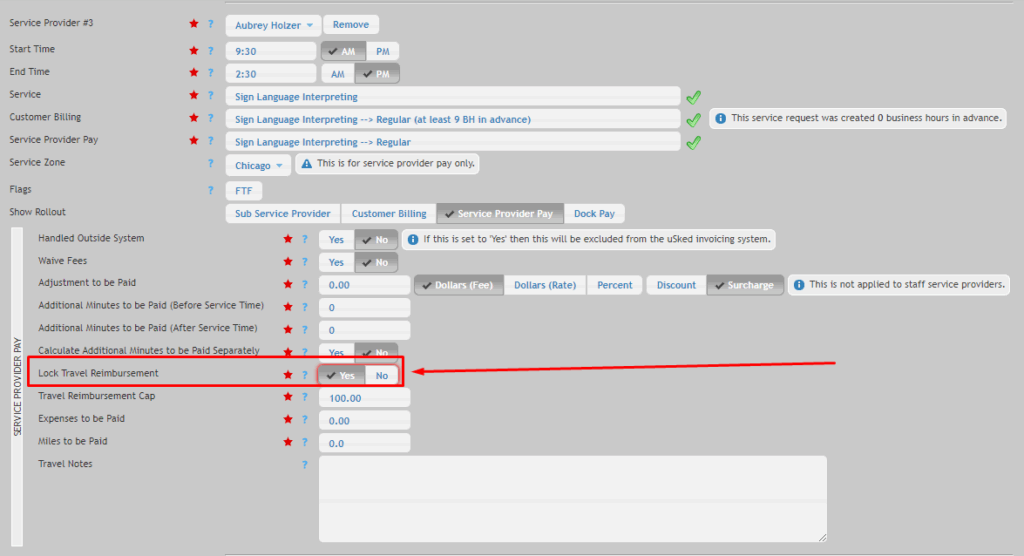
Doing this will mean all additional expenses (i.e., parking) and mileage are only added to the ‘travel’ slots.
3. If adding slot(s) for the purpose of ‘Travel’ – avoid leaving those slot(s) unassigned as any email blasts sent for the request will result in going out to all Service Providers who have ‘Travel’ listed as a service.