
Purpose #
Customers in QuickBooks Online must match the Customer values in the Usked Invoice Export file before importing customer invoices. If items do not match exactly, invoice imports may fail or create errors. You may be able to add new customers through the data import.

⚠️The Bill To Address will pull from the QuickBooks Online Customer Hub instead of Usked Invoice Export file if Transaction Pro is not used.
System Access #
System: QuickBooks Online
Login: Log in to QBO using your assigned credentials.
Procedure #
Step 1 – Navigate to Custom Fields #
- All apps → Customer Hub → Customers
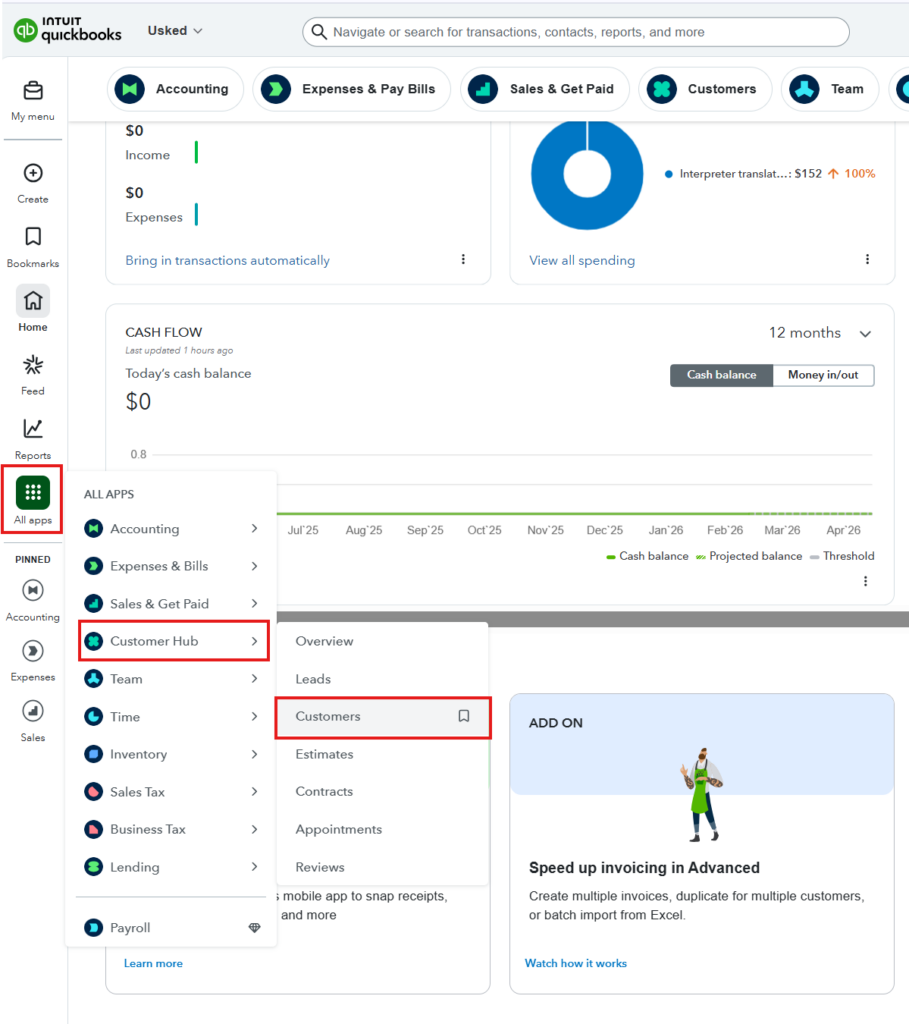
Step 2 – Create a New Customer #
- Click New customer

- Update Customer display name and Name to print on checks
Optional: you may select ‘is a sub-customer’ if it is a department name
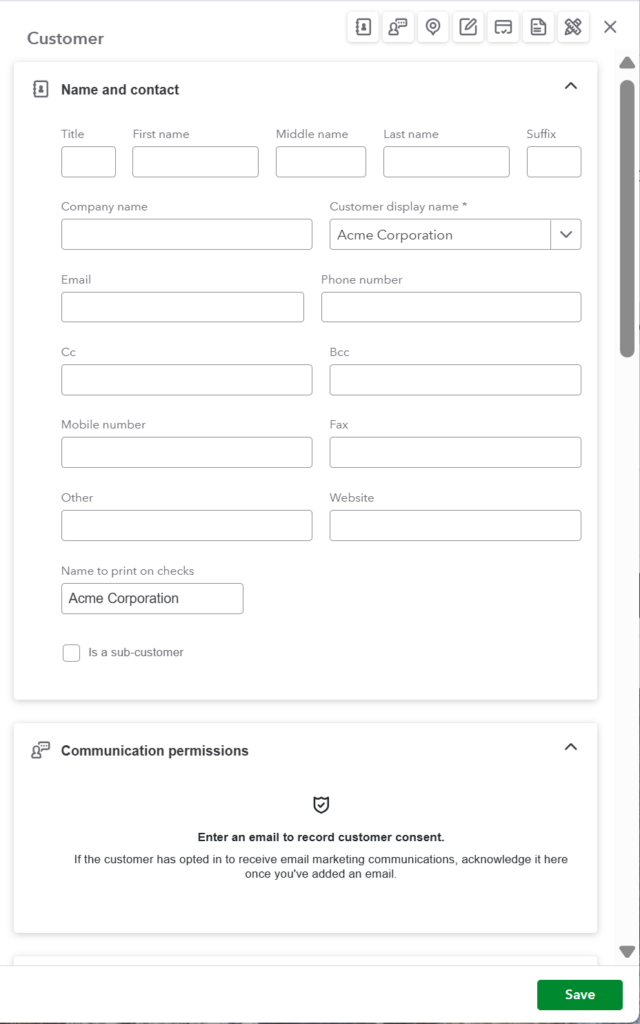
- Scroll down to the Addresses
- Update your billing address including Street address, City, State, Zip Code
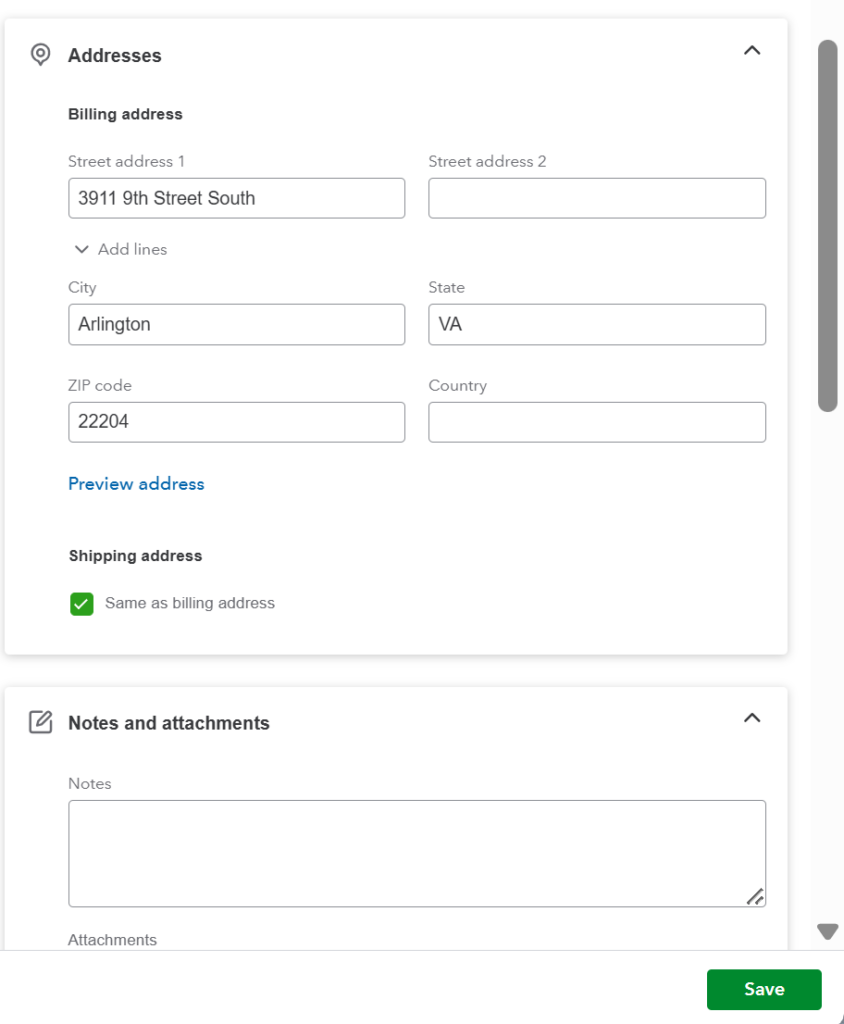
- Save