
Need to change your contact info? No problem! Read more to find out how to do this. #
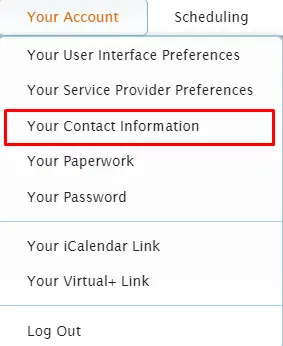
Once you are logged into the Usked web portal for the organization you use Usked with, go to Your Account > Your Contact Information.

To change:
Address – go to Home Address tab.
Email – go to Email Addresses tab.
Phone number – go to Phone Numbers tab.
Text message number – go to SMS (Text Messaging) tab.

Update the desired information, then select Save Changes.
NOTE: An alert will generate to the organization’s staff when you’ve updated your address, email, and/or phone number.