
Purpose #
Classes in QuickBooks Online must match the LineClass values in the Usked Invoice Export file before importing customer invoices. If items do not match exactly, invoice imports may fail or create errors.
Classes also support budget and sales reporting in QuickBooks Online by categorizing services such as Translation, CART, ASL, and Corporate.

System Access #
System: QuickBooks Online
Login: Log in to QBO using your assigned credentials.
Procedure #
- Step 1 – Navigate to Classes
- Step 2 – Create a New Class
Step 1 – Navigate to Classes #
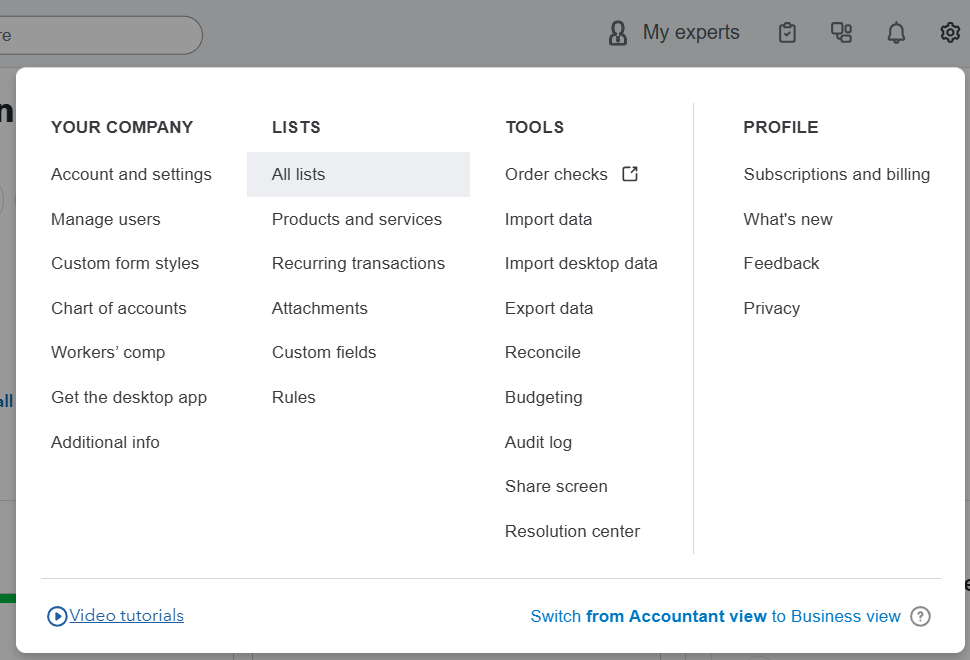
- Select ⚙️Settings
- Go to Lists → All lists
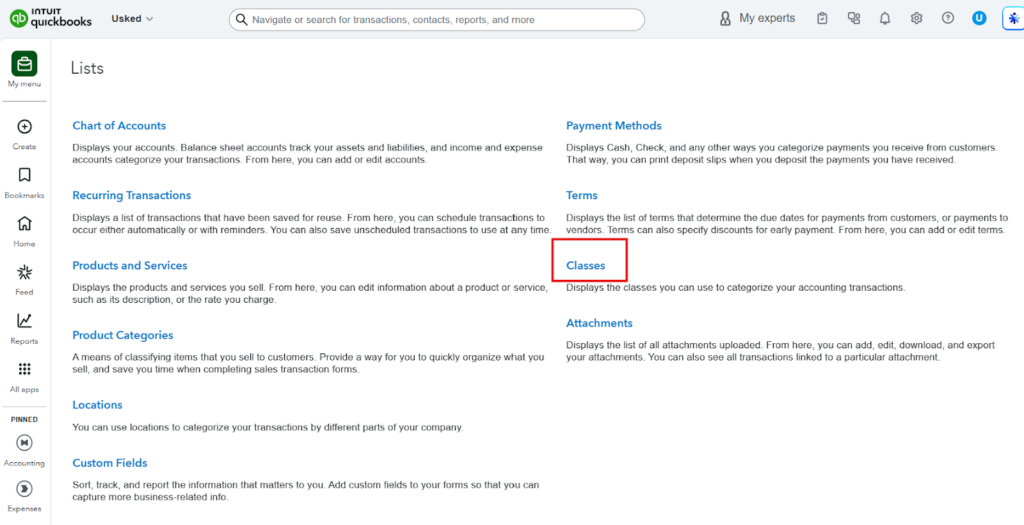
- Click Classes
Step 2 – Create a New Class #
- Click New

- Enter Name
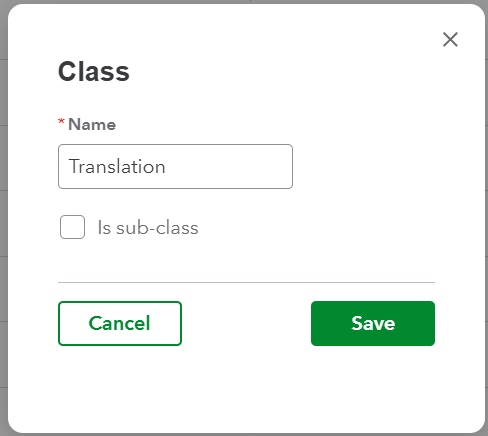
- Save