
Need customer-provided reference numbers, such as a MRN (medical record number) or client id, to be included for customer billing? Read more to find out how. #
How can I add a reference ID number to a client? #

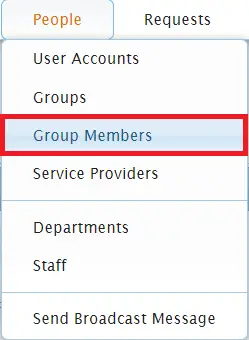
From your Usked portal go to People > Group Members.

Click on the pencil (edit) icon next to the client you’d like to add a reference ID to.


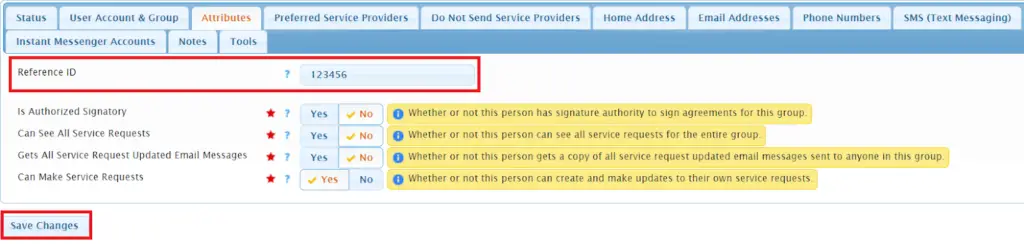
Click on the Attributes tab, type the number in the Reference ID field, and then select Save Changes.
How do I make sure reference ID numbers show up for a group’s billing reports? #

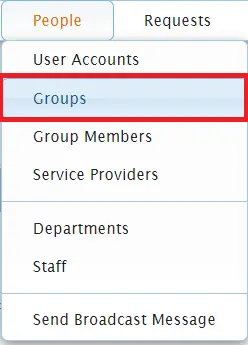
From your Usked portal go to People > Groups.

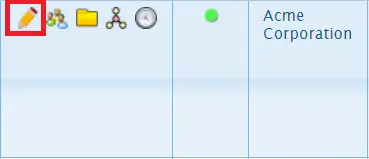
Click on the pencil (edit) icon next to the desired group.

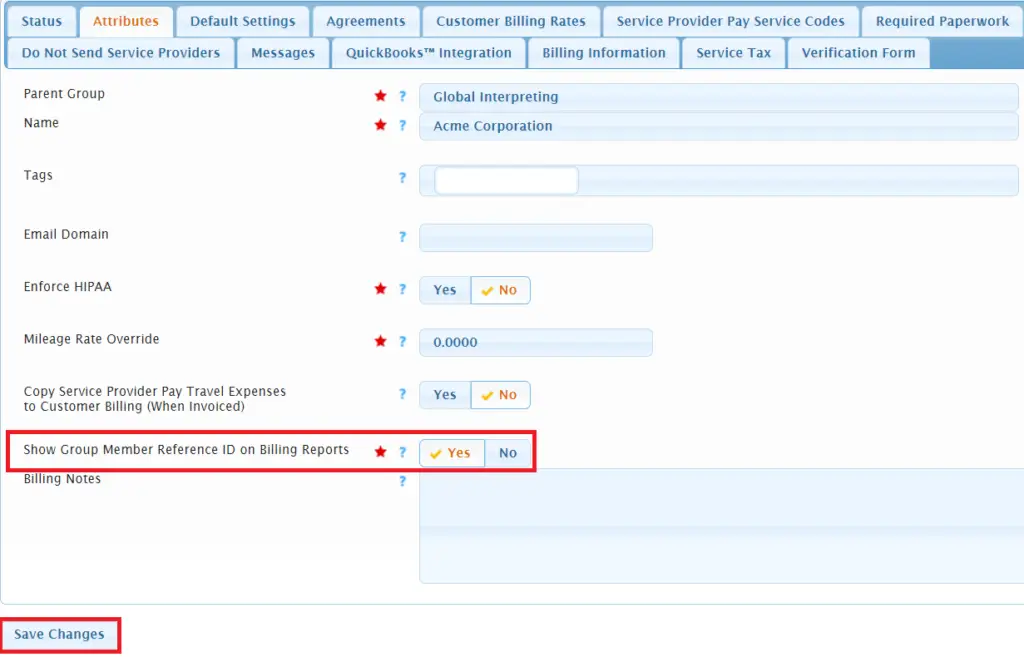
From the Attributes tab, select Yes for the Show Group Member Reference ID on Billing Reports setting and then select Save Changes.
Which billing reports will show the Group Member’s Reference ID? #
Once both steps shown above are taken, enabling the reference identifier to be shown in reporting, the following reports will display the ID:
- Customer Billing Report
- QuickBooks Invoice Export
- Tracking Report