
Purpose #
This procedure outlines the steps required to set up Transaction Pro and prepare users for importing data into QuickBooks Online (QBO).
Prerequisites #
- Active QuickBooks Online company
- Admin access to QBO
- Payment method available for Transaction Pro subscription.
System Access #
System: QuickBooks Online and Transaction Pro
Login: Log in to QBO using your assigned credentials.
Procedure #
- Set Up Transaction Pro Subscription
- Manage Subscription and User Access
- Step 1 – Navigate to My Subscriptions Page
- Step 2 – Add Users
- Step 3 – Add Company Access
Set Up Transaction Pro Subscription #
- Go to Transaction Pro
- Click Sign in with Intuit
- Click ADD NEW SUBSCRIPTION
- Select your subscription plan and click BUY NOW
- Click Proceed Now
- Enter your account details
- Add your billing address
- Enter your payment details
- Click Next to complete the purchase
Manage Subscription and User Access #
Step 1 – Navigate to My Subscriptions Page #
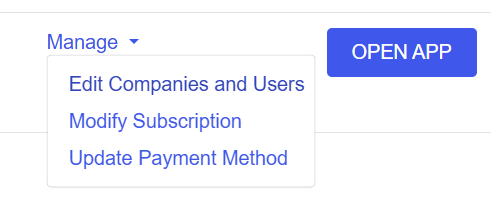
- Click Manage → Edit Companies and Users
Step 2 – Add Users #
- Click Users

- Click Invite Users
- Click Send Invitation
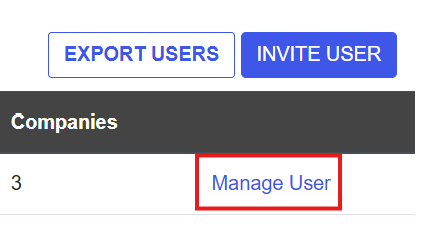
- After the user accepts the invitation, refresh the page and click Manage User to confirm access.
Step 3 – Add Company Access #
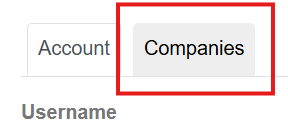
- Select the Companies tab
- Click ADD COMPANY

- Select the QBO Company
- Click Add
Users will receive an email confirming access to the Transaction Pro account.
Ready to import customer invoices into QuickBooks Online? Click here to get started!