Want your teams, customers, and service providers to be able to access your Usked portal directly from your company website? Read more to find out how… #
Our team has created an easy-to-access tool that creates a button to be placed on your website. This button can then be placed on your website to enable your team, service providers and clients to have quick access to your Usked portal.
Who can generate a sign-in button? #
Staff with the Administrator role enabled can generate a sign in button.
How do I generate a sign-in button? #
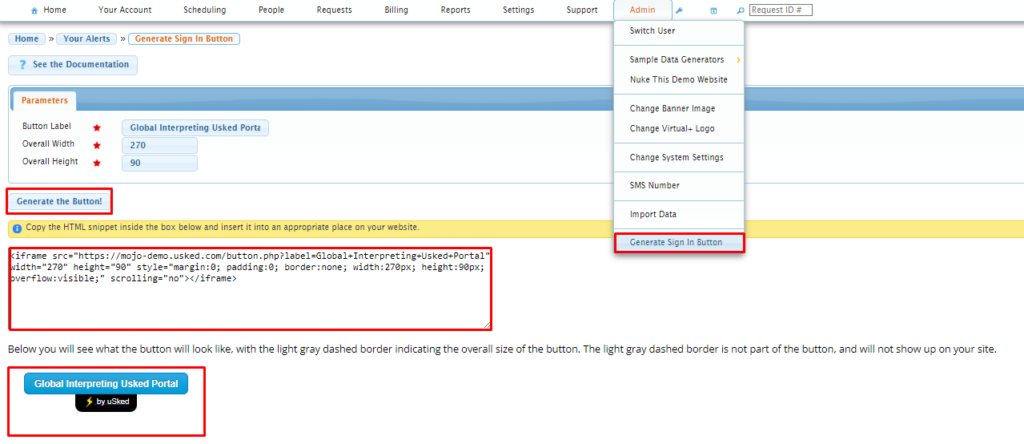
From your Usked portal go to Admin > Generate Sign in Button. In the “Button Label” field, type the text you want displayed in the blue portion of the button. Adjust the Overall Width and Overall Height, if desired. Then, copy & paste the HTML snippet you see within the box and add it to your website. A preview of what the button will look like will be displayed below the HTML snippet.
HELP! I don’t know how to add it to my website. #
If you have an IT administrator they should be able to add the HTML snippet to your website for you. If not, no problem. We are here for you! Submit a support ticket on our Support Center and we’ll schedule a time to get this set up.