To help you adhere to HIPAA laws and further safeguard client information, you can enable the Enforce HIPAA setting at the group level to ensure sensitive information does not leave Usked. #
Where can I find the Enforce HIPAA setting? #
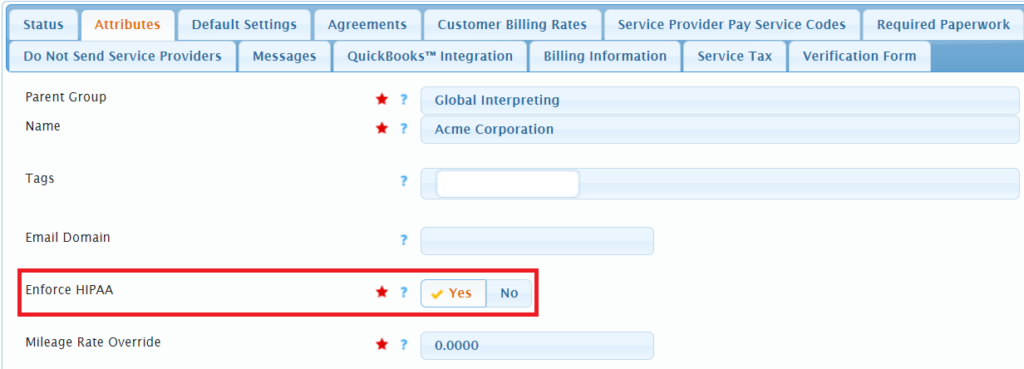
To find the setting go to People > Groups. Click on the pencil (edit) icon next to the group, then from the Attributes tab you’ll see the Enforce HIPAA toggle.
How does it work? #
Once the toggle is set to Yes for a particular group, Usked will prevent the system from sending PII to third party systems for that group’s requests. This setting will impact the following:
- Viewing Posted Service Requests and Blocks
- QuickBooks™ Invoice Export
- iCalendar Feature
- Email Composer
What is Personally Identifiable Information or PII? #
PII is any information that could potentially identify a specific individual. Here’s a list of PII within the Usked system impacted by the “Enforce HIPAA” setting:
- The address of the service request location
- The room number
- The public location notes
- The names of the points of contact
- The contact information for the points of contact
- The public notes for the points of contact
- The names of the clients receiving services
- The service requested for these clients
- The public notes for these clients
- File attachments
- The public event notes (event details)