
In the world of scheduling the more visibility, the better! This is why Usked created a tool to allow you to send each provider a list of assignments for a designated time frame in one fell swoop. #
Who can do this? #
Any staff with the Scheduler role enabled can use the Send Out Schedules tool.
How can I do this? #

From your Usked portal, go to Reports > Scheduling > Send Out Schedules.

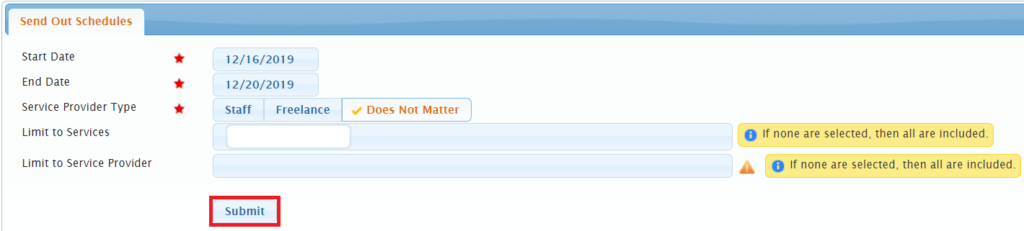
Select the Start and End Dates for the date range you’d like to include assignments for. If desired, also adjust filters for Service Provider Type, Limit to Services, and/or Limit to Service Provider before selecting Submit.

Select the Email Template you want and add any additional subject or message, if desired. Then look over the list generated to make sure it is as expected before selecting Confirm Sending Out Schedules.
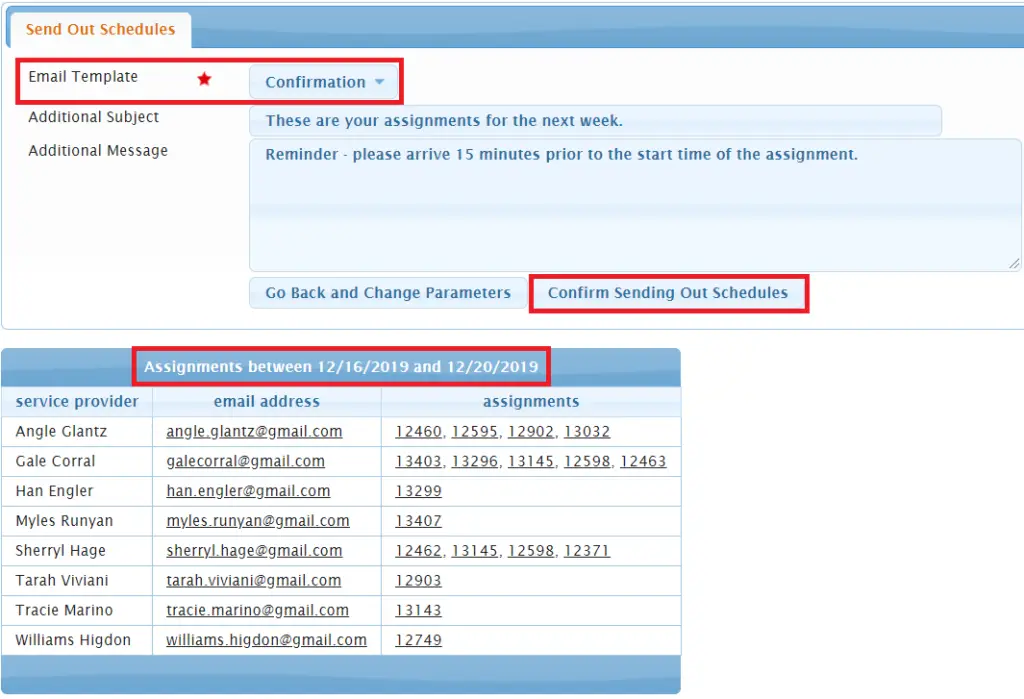
This will send out one email per service provider that includes all of the assignments listed within that date range.