
It’s time to put on your dancing shoes because this is a staff day! It’s got good times, possibly pizza, and billable objects that you can use to pay staff service providers. Let’s boogie! #

What exactly is a staff day? #
A staff day is a billable object that you can use to pay staff service providers. They are functionally identical to contract days with two differences:
- Staff days are automatically generated by the system based on the schedule found in a staff person’s profile.
- Guaranteed Hours are treated differently.
- For Salaried staff – guaranteed hours default to 8 hours. They will be paid for 8 hours, regardless of how much or how little they worked during the staff day.
- For Hourly staff – guaranteed hours default to 0 hours. This means they are paid for exactly the amount of time worked.
How are staff days created? #
Staff days are auto created by the system each morning for the previous day based on the schedule found in the staff profile. To view this schedule go to People>Staff and click on the pencil icon next to the Staff name.
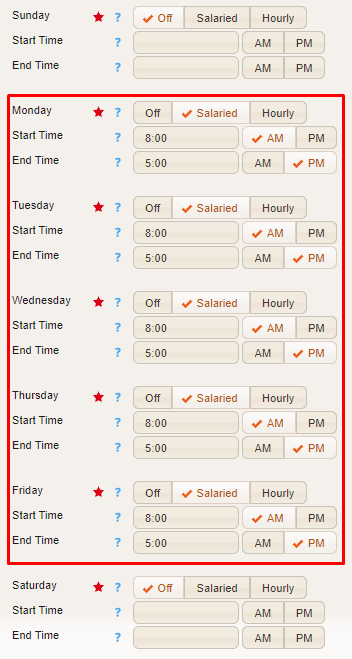
From the Schedule tab you’ll see a list of days and times. If you have a day set to Off a staff day will NOT be generated for that day, but if set to Salaried or Hourly a staff day WILL be generated for that day.
In this example below, the system will generate staff days with guaranteed 8 hours (Salaried) for this staff person for each Monday-Friday, but no staff days for Saturday or Sunday.
Where can I see a list of staff days? #
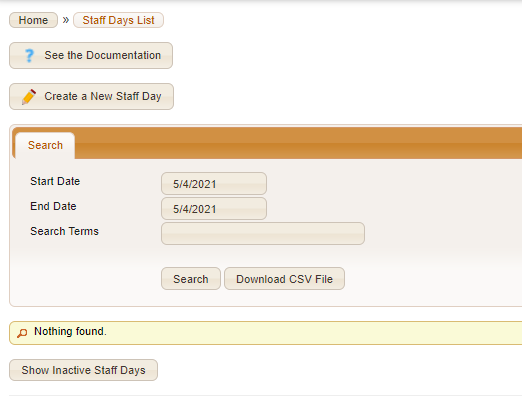
You can find Staff Days by going to BILLING > SETTINGS > STAFF DAYS
Do staff days need to be added to timesheets? #
No – the system will automatically add them and any other billable objects for the staff person each morning for the previous day’s work!