
Background #
Previously, Usked licensees did not have a structured way to track why a job was cancelled, aside from reviewing freeform text fields. This created inconsistencies and reporting capabilities.
- Schedulers were required to enter a reason, but requesters were not.
- No standardized list made data analysis and auditing difficult.
- There was no field or column to capture the date that a job was cancelled.
- Freeform entry made it hard to ensure consistency across users.
Our Solution #
Usked has released a new feature designed to streamline workflows and improve reporting accuracy.
Standardized Cancellation Reason Dropdown #
A customer-configurable dropdown list of cancellation reasons is now available, similar to the audience size selector.
This dropdown:
- Appears on the cancellation screen for all users.
- Can be configured to be a required field for both schedulers and requesters.
- Provides a concise, standardized list of options, such as:.
- Cancelled: Rescheduled
- Cancelled: Employee Time Off
- Cancelled: Client No Show
- Cancelled: Other
Freeform text remains available in the Cancellation Notes field for additional context.
Reporting Integration #
The selected cancellation reason and cancellation date are now included in the following reports:
- Customer Billing Report
- Service Provider Pay Report
- Requests List
- Assignments List
Configuration Details #
To Set Cancellation Reasons: #
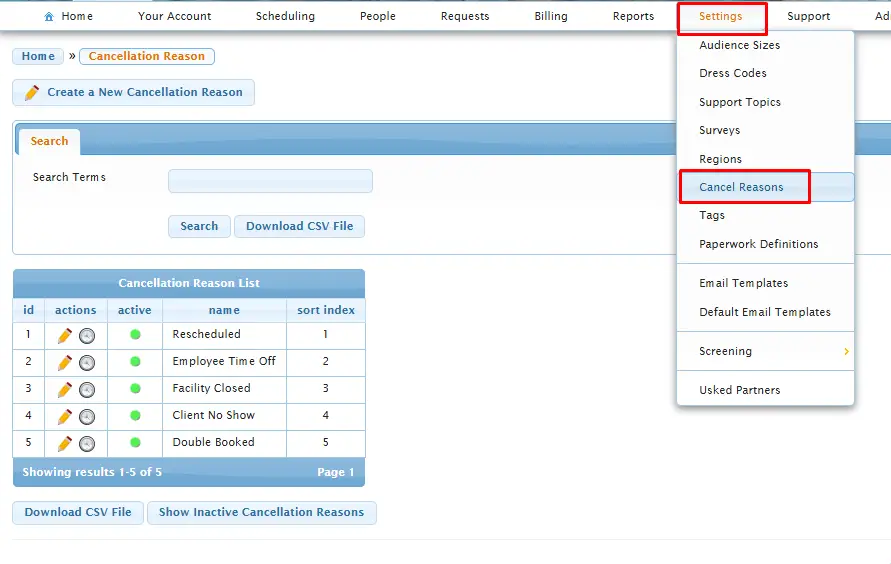
Go to: Settings > Cancel Reasons
- Create and manage your dropdown list of standardized cancellation reasons.
To Enable/Disable this Feature: #
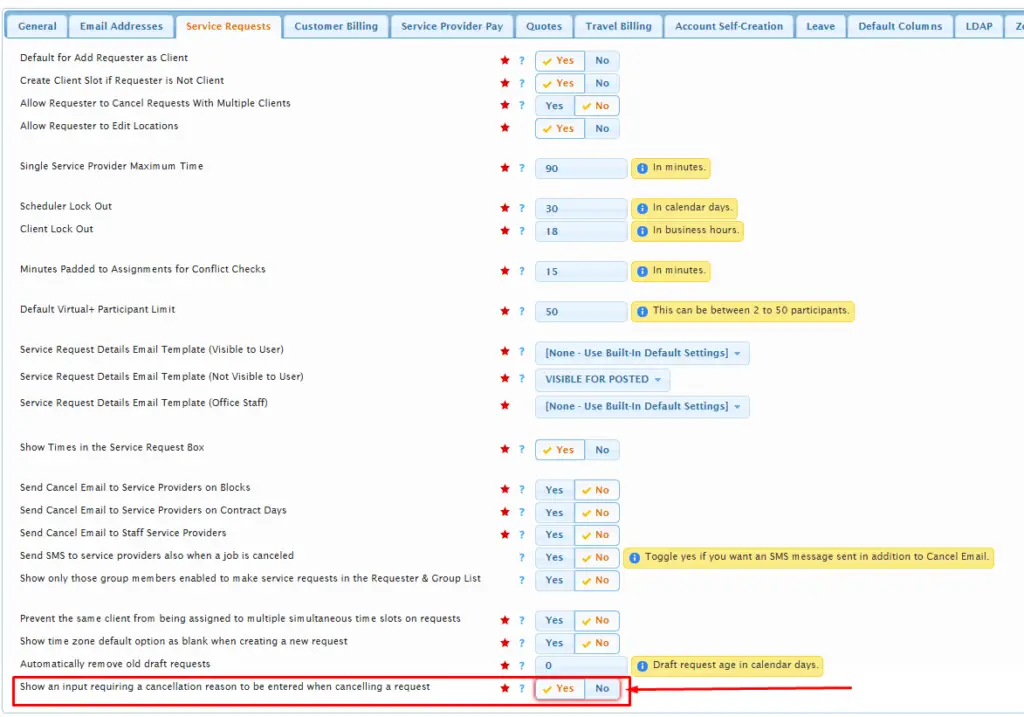
Navigate to: Admin > Change System Settings > Service Requests tab
- Locate the Cancellation reasons setting to turn the feature on or off.
What Users Will See #
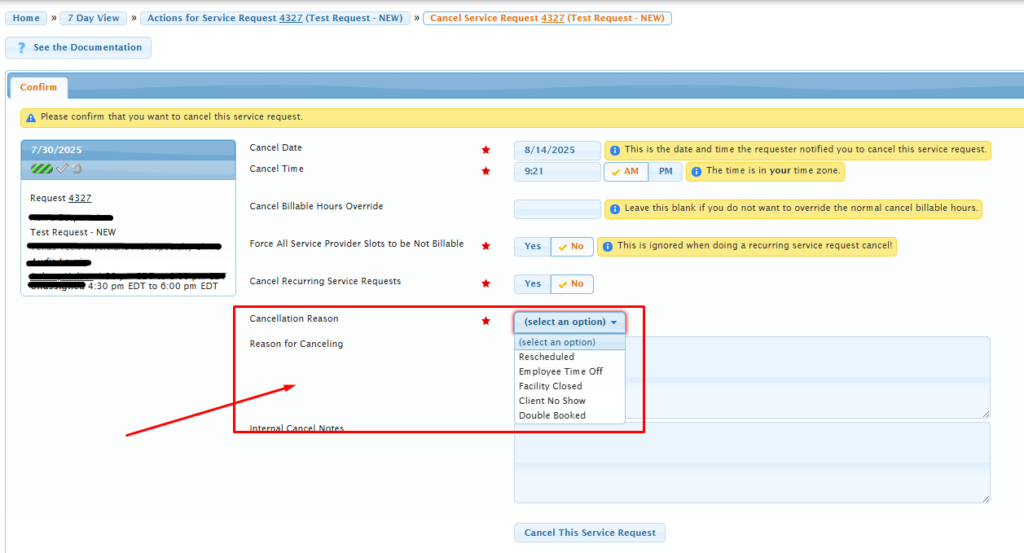
Once enabled, the cancellation page will display:
- A dropdown menu for selecting a reason
- An optional notes field if “Other” is selected (last option)
- An automatically recorded cancellation date
This enhancement helps standardize data, simplify workflows, and improve reporting accuracy across all Usked licensees.
If you need help configuring the feature, please reach out to Usked Support.